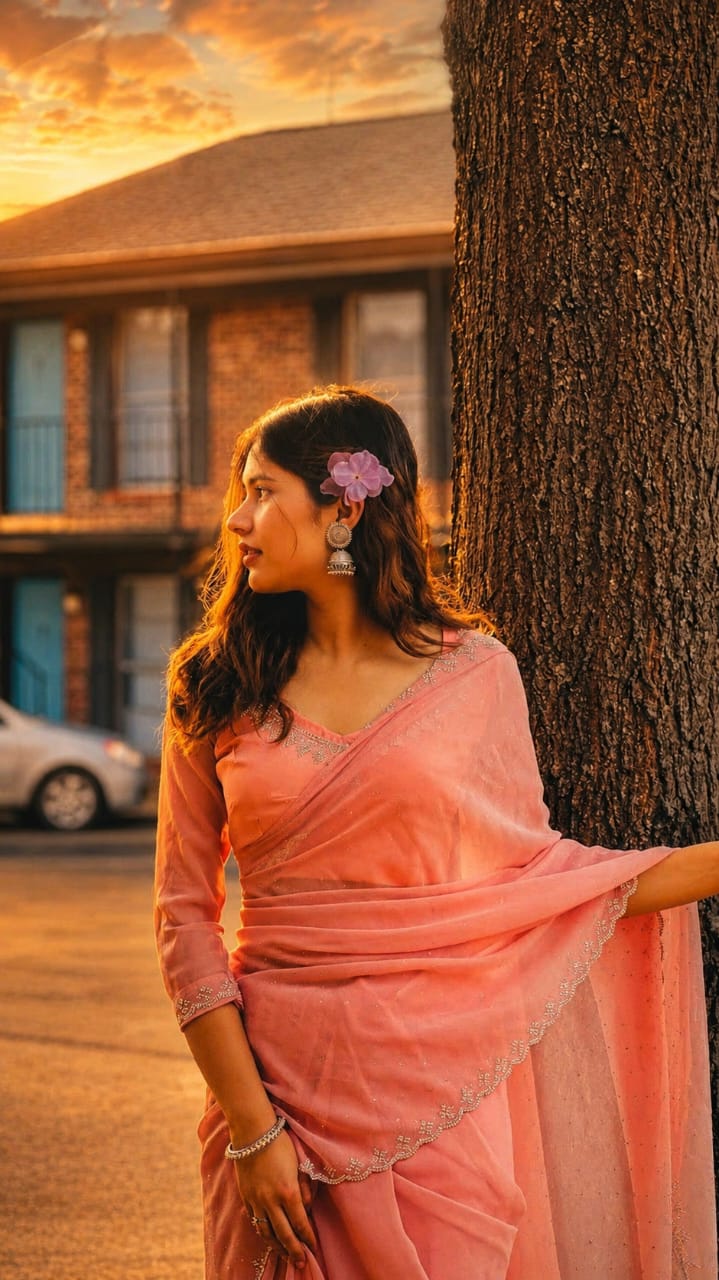
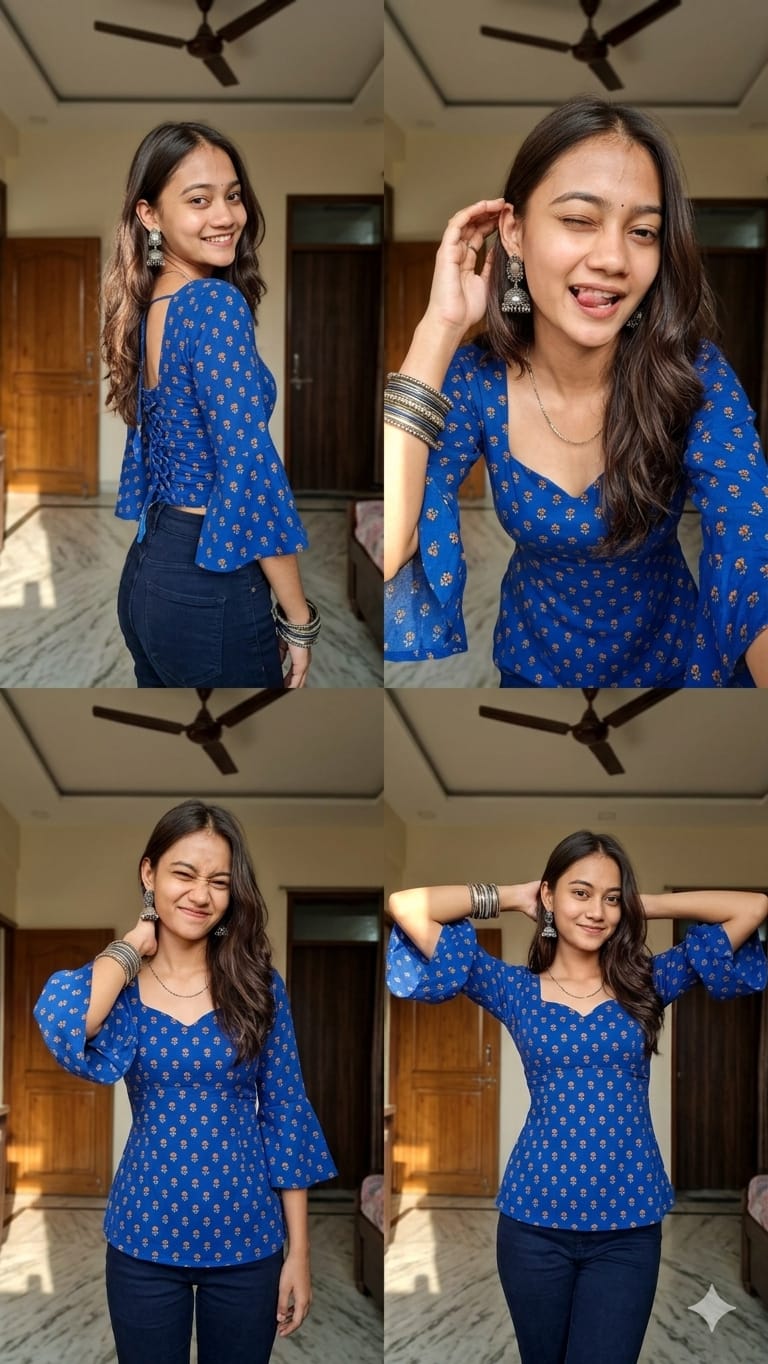
AI Kurti Fashion Collage Prompts — Here are 2 free, copy-ready prompts for Indian creators in 2026 that help you create hyper-realistic fashion collages. Use these AI Kurti Fashion Collage Prompts in ChatGPT, Ideogram, or Midjourney and get stunning results. Just upload a photo and watch the magic! 🪄

📋 What’s In This Post
AI Kurti Fashion Collage Prompts — these are currently trending the most on Instagram and YouTube, and why shouldn’t they? Earlier, this style was only limited to professional photographers, but now, with a simple AI kurti fashion collage prompt and a reference photo, you can also create a hyper-realistic, editorial-quality collage sitting at home. Gen-Z Indian creators are adopting this trend very quickly, especially for kurtis and desi fusion outfits. Both the prompts given below are specially tuned for Indian skin tones, home interiors, and desi accessories — which is the reason they are so effective.
AI Kurti Fashion Collage Prompts — What Will You Get?
- Exact facial identity preservation — your face will look exactly like your reference photo
- Cinematic indoor lighting — soft daylight, warm tungsten, shallow depth of field
- 8K-quality hyper-realistic fabric texture — along with kurti folds, prints, and stitching details
- 4-frame vertical 9:16 collage — perfect format for Instagram Reels
- Specs + accessories preserved — glasses, jhumkas, bangles will all remain intact
- Candid natural expressions — no awkward posed photos, just real-feel candid energy
- Two distinct vibes — cozy home interior and rainy café cinematic ambiance
What Kind of Photo to Use — Reference Image Guide
The result of AI Kurti Fashion Collage Prompts directly depends on the quality of your reference image. Most people miss this section — and then complain that the “face didn’t come out right”. Follow the tips below and you will see the difference yourself.
AI Kurti Fashion Collage Prompts — Shoot in daylight
Natural window light is the best. AI renders skin tones incorrectly in dark or yellow light photos.
Take a front-facing photo
AI cannot properly map facial features from a side angle. Face the camera directly, chin slightly down.
Avoid blurry photos
AI generates a distorted face from motion blur or out-of-focus selfies. Use a sharp and clear photo.
A simple background is better
A busy background confuses the AI. A plain wall or minimal background photo gives the best results.
Complete Guide for Beginners — From Zero to Collage
-
1
Upload a Reference Image for AI Kurti Fashion Collage Prompts
Choose your clear, well-lit face photo — preferably front-facing, neutral background. The sharper the image, the better the result.
-
2
Copy the Prompt
Copy your preferred prompt using the COPY button below. Both prompts offer different vibes — the first gives a cozy home feel, the second provides rainy café drama.
-
3
Open AI Tool — ChatGPT or Ideogram
In ChatGPT, click on the “+” icon on the left side → choose the “Attach Image” option → upload your reference photo. In Ideogram, use the “Reference” tab. Both work in the free version as well.
-
4
Paste the Prompt and Generate
After attaching the image, paste the prompt into the text box and press Enter. Generation takes 15–40 seconds depending on the tool and server load.
-
5
Download the Result
Right-click on the generated image → click on “Save Image” or the download icon. The collage will be saved directly to your camera roll.
AI Kurti Fashion Collage Prompts — Copy and Use Directly
Don’t Make These Mistakes — And Their Solutions
While using AI Kurti Fashion Collage Prompts, this is the section that retains users on the site — because everyone makes mistakes at first. Below are the most common problems and their quick fixes:
-
Face changed in the tool? — This means the reference image was blurry or the angle was from the side. Use a front-facing, sharp, daylight photo. Explicitly write “maximum facial consistency” in the prompt.
-
Did the AI remove your glasses? — Some tools automatically remove accessories. Write clearly in the prompt: “preserve natural spectacles exactly as in reference”. Ideogram v2 is the best for this task.
-
Outfit coming in the wrong color? — Mention “royal blue”, not just “blue”. You can also add the exact hex code: “royal blue #4169E1”. For print details, clearly describe “tiny mustard-gold floral buta prints”.
-
Result didn’t come out good — what to do? — It doesn’t come out perfect the first time. Generate 3–5 variations, and manually combine the best frames into a collage using Canva or CapCut. Try the same seed number for consistency.
-
Not getting the 9:16 format? — In Midjourney, add the –ar 9:16 parameter. In other tools, manually select “Portrait” or “9:16” in the output settings before generating.
Frequently Asked Questions
Now It’s Your Turn!
Both of these AI Kurti Fashion Collage Prompts have been carefully tested for Indian skin tones, desi accessories, and home interiors. You just need a good reference photo — these prompts will do the rest of the work. Try it once, you will see the difference yourself.
🔥 Tried the AI Kurti Fashion Collage Prompts? Share your results!
If these prompts were helpful to you, let us know in the comments how the results turned out. Share on Instagram and tag your friends too — they should try this as well! 👇