Cinematic AI Photo Prompts Free 2026
What Is This Cinematic AI Trend?
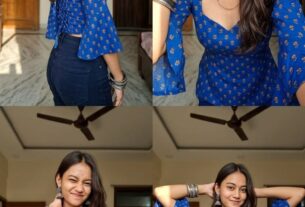
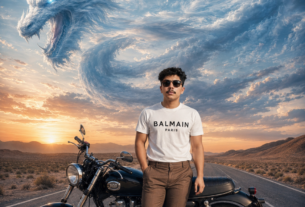
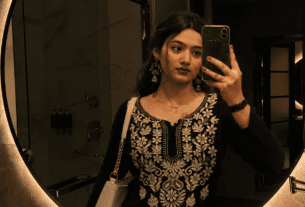
The Cinematic AI Photo Prompts Free 2026 trend focuses on creating luxury paparazzi-inspired portraits with realistic flash photography effects, glossy skin highlights, dramatic shadows, cinematic rim light, and expensive editorial aesthetics. This style is currently trending across social media because it creates a rich and premium visual appearance without requiring a professional camera setup or Photoshop editing skills.
By using these prompts, you can transform an ordinary mobile selfie into a cinematic masterpiece with ultra realistic depth, powerful contrast, premium color grading, and DSLR-quality sharpness. These prompts work especially well with nighttime photos, luxury outfits, urban street backgrounds, and portrait close-ups.
- Luxury paparazzi flash effect
- Editorial cinematic lighting
- Ultra realistic DSLR quality
- Perfect for Instagram DP and Reels covers
- Compatible with ChatGPT, Gemini, Firefly, and Midjourney
- Maintains original face and background details
What Kind of Output Will You Get?
After using these Cinematic AI Photo Prompts Free 2026, the final result will look like a luxury fashion magazine portrait captured using an expensive DSLR camera with a professional lighting setup. The AI will create glossy flash reflections, cinematic depth, dramatic rim lighting, detailed skin texture, and premium color grading while preserving the original identity and environment from your uploaded image.
The generated portrait can be used for Instagram profile pictures, YouTube thumbnails, luxury birthday posters, social media branding, WhatsApp display pictures, portfolio covers, and stylish cinematic edits. These prompts are designed to create visually powerful outputs that instantly stand out on social media feeds.
Viral Cinematic AI Prompts 🚀
How to Use These AI Prompts
Open Your AI Tool
Open ChatGPT, Gemini, Midjourney, Adobe Firefly, Leonardo AI, or any other AI image generation platform that supports prompts and image uploads.
Upload a Clear Reference Photo
Upload a high-quality and sharp portrait image. A properly lit image with a visible face usually gives the best cinematic results.
Copy and Paste the Prompt
Use the COPY button above to instantly copy the prompt and paste it inside the AI tool prompt box.
Generate the Final Portrait
Click Generate and wait a few seconds. The AI will create a premium cinematic paparazzi-style portrait with realistic flash effects and luxury lighting.
Best Tips for Professional Results 💡
📸 Use HD Photos
High-quality images with clear facial details create sharper cinematic outputs with better lighting accuracy.
🌙 Night Backgrounds Work Best
Nighttime environments help the cinematic flash effect appear more realistic and visually dramatic.
🔁 Generate Multiple Variations
Running the same prompt multiple times can produce different luxury cinematic compositions.
🎨 Customize the Color Grading
You can replace warm peach tones with cool silver, golden bronze, or monochrome color styles.
Best AI Tools for These Prompts
ChatGPT
Perfect for realistic cinematic portrait generation with advanced prompt understanding and natural lighting accuracy.
Gemini
Gemini is useful for fast AI image generation and works well with cinematic photography prompts.
Midjourney
Midjourney creates highly artistic luxury cinematic portraits with powerful lighting and rich fashion aesthetics.
Please let me know if you’re looking for a article writer for your
blog. You have some really good articles and I think I would be a good asset.
If you ever want to take some of the load off, I’d really like to write
some articles for your blog in exchange for a link back to mine.
Please send me an email if interested. Many thanks!
ok bro