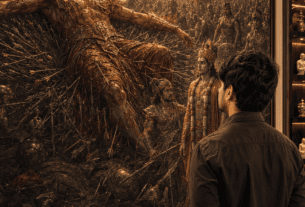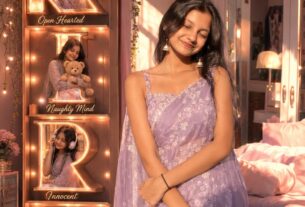
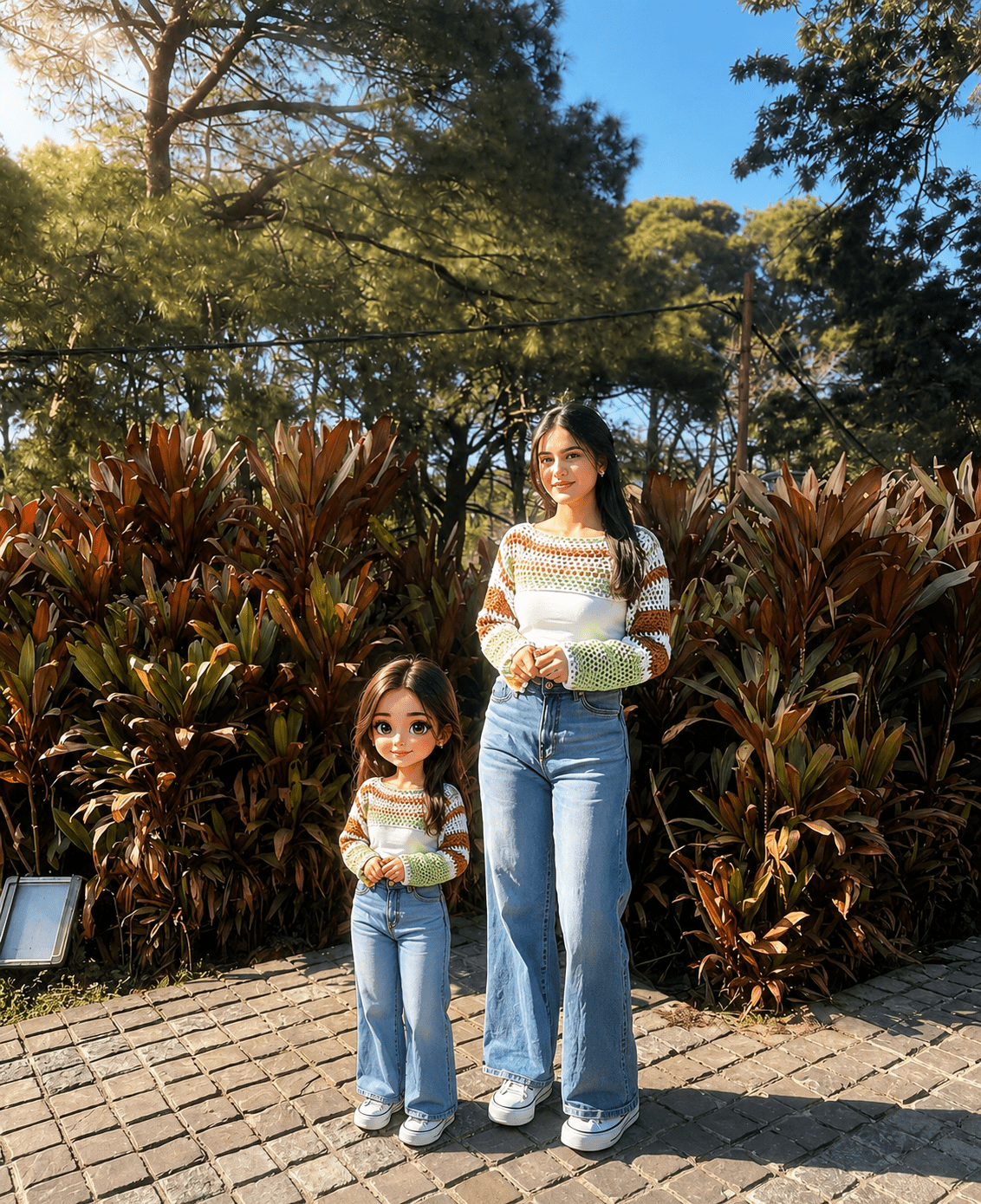
So my younger sister sent me this photo last week. Mini me AI photo prompt free 2026 — yeh trend abhi sabse zyada viral hai. It was her, smiling at the camera, and right next to her was this cute little cartoon version of her — same hair, same expression, same earrings. I literally stopped scrolling. I thought she had hired some artist. She hadn’t. She did it in like ten minutes using AI.
Okay So What Even Is This Thing
Basically, people are taking their real photos and creating a mini cartoon character that sits right beside them. Like imagine you in your actual photo, and next to you is a tiny animated version of you — chibi style, or Pixar style, or whatever vibe you like. Same face. Same clothes sometimes. Just cute and cartoon-ified.
It’s all over Instagram and Pinterest right now. People are making these for profile pictures, for birthday posts, for couple photos. Some people are doing it with their pets too, honestly. The whole thing looks really sweet and a little magical when done right.
Create a Mini-Me Cartoon Companion Beside a Real Photo — Complete Guide
Okay so let me walk you through how I actually did this. No complicated software needed. Just ChatGPT with image generation, which you can access through the GPT-4o model. That’s the one that can both see your photo and create a new image based on it.
First thing — open ChatGPT and make sure you are using GPT-4o. This matters. The older models cannot really do this well. GPT-4o can look at your photo, understand your face and features, and then generate a cartoon version that actually looks like you. That’s the whole magic here.
Now upload your photo. Pick a clear one. Good lighting. Your face should be visible properly. No heavy filters on the original — see, filters confuse the AI sometimes. It tries to cartoon-ify the filter instead of your actual face. I made that mistake the first time.
Once the photo is uploaded, paste this prompt exactly:
Now if you want a different style — say Pixar or anime instead of chibi — just change that one word in the prompt. And if you want the cartoon to match your exact outfit color, add that detail. The more specific you are, honestly the better the result. I once added “the cartoon is wearing a yellow kurta just like the person” and it actually worked.
You can also do this in Adobe Firefly or Canva’s AI tools if you have access. But ChatGPT gives the most accurate face match in my experience. Probably because GPT-4o is really good at reading facial features before generating.
AI Photo Editing Tips For Best Result
Look, most people mess this up in the beginning. Not because the AI is bad. Because the photo they upload is not great. Blurry photo equals blurry cartoon logic. The AI gets confused about what your actual features are.
Use a photo where your face is clearly lit. Natural light is honestly the best. Side lighting creates shadows and the AI sometimes cartoons the shadow instead of your face shape. Sounds funny but it happens.
One thing that actually surprised me — the AI does better with a simple background. I tried one photo where I was standing in front of a really busy street scene. The cartoon it made was fine but the placement looked awkward. The cartoon was floating weirdly between buildings. When I used a photo with a plain wall behind me, the result was so much cleaner.
Also, be specific about the cartoon style in your prompt. “Cartoon” alone is too vague.Aaj main tumhe mini me AI photo prompt free 2026 ke baare mein bataunga jo ChatGPT mein perfectly kaam karta hai.
And one more thing — if the first result is not perfect, just ask ChatGPT to adjust. Say “make the cartoon look more like the person” or “make the cartoon’s hair longer.” It will regenerate. You don’t need to start over every time. That’s the part most people don’t realise.
How To Use These Trending Viral AI Photo Editing Prompts
Okay here is the simple step by step of the actual process. Not complicated at all.
Go to chat.openai.com and log in. Make sure the model selected is GPT-4o. You will see the model name at the top of the chat. Click on it if it says something else and change it.
Click the photo upload icon — it looks like a small paperclip or image icon in the chat box. Upload your chosen photo. Wait for it to load fully before typing anything.
Now paste the prompt I gave you above exactly into the text box. Do not paraphrase it. The exact words matter because they tell the AI very specifically what to do. Hit enter.
Wait a few seconds. ChatGPT will first describe what it sees in your photo, then it will generate the image. You will see the result right there in the chat. If you like it, download it by right-clicking. If you want changes, just type what you want adjusted and it will try again.
You can do the same thing in Google Gemini Advanced by uploading the photo and pasting a similar prompt. Gemini is also quite good at this. The style comes out a little different though — a bit softer, slightly more painterly. Try both and compare. Honestly both are free to try to some extent.
You Might Like These Too
Kuch aur trending AI photo ideas — try karo, bohot fun hai
Prompt Section
ChatGPT 3 Layer AI Photo Editing Prompts 2026 — Boy Girl & Couple
Teen frames, ek cinematic look. Yeh trend Instagram pe bohot viral hai — couples ke liye perfect.
Read PostAI Photo Editing
Mirror Cleaning AI Photo Editing Prompts — ChatGPT & Gemini
Mirror selfie mein fingerprints aur dust? Yeh prompts se seconds mein clean ho jaata hai photo.
Read PostPrompt Section
Best AI Image Prompts for Cinematic Portrait & Sunset Photo Editing
Golden hour, moody sunsets, cinematic feel — yeh prompts se teri photo movie poster ban jaati hai.
Read Post❓ Kuch Common Questions
Yeh questions bohot log puchte hain — answers yahan hain